A reception that runs itself.
Put a tablet at reception and let families check in, register a walk-in, sign up, check on their pet, pay a bill or ask for urgent help — while your team focuses on the pets in front of them.
Six things families need, one tap away.
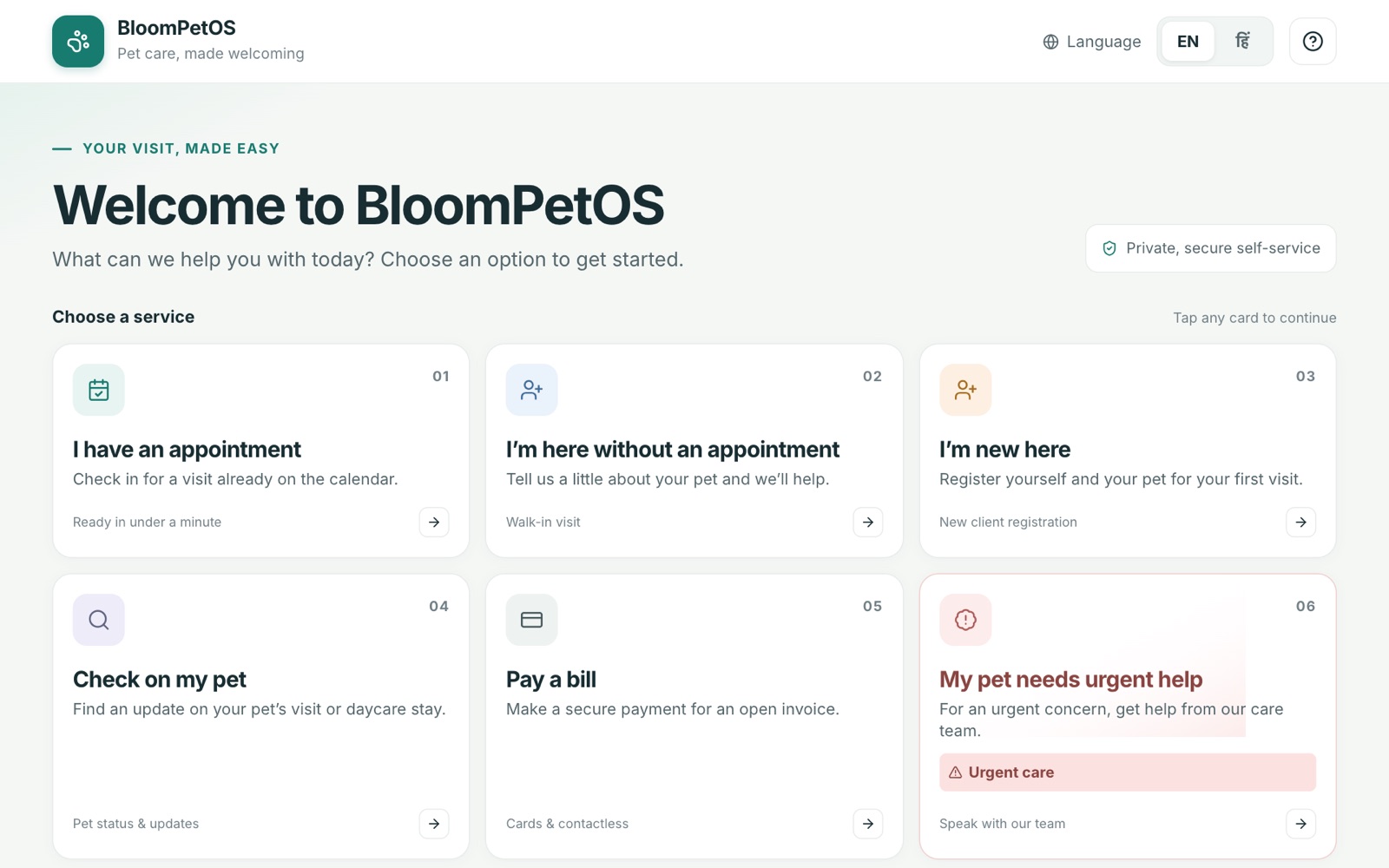
The kiosk greets every family with clear choices: check in, walk in, sign up, check on a pet, pay a bill or get urgent help.
- Large, numbered service cards
- Language switcher and help always visible
- Private, secure self-service
Check in under a minute.
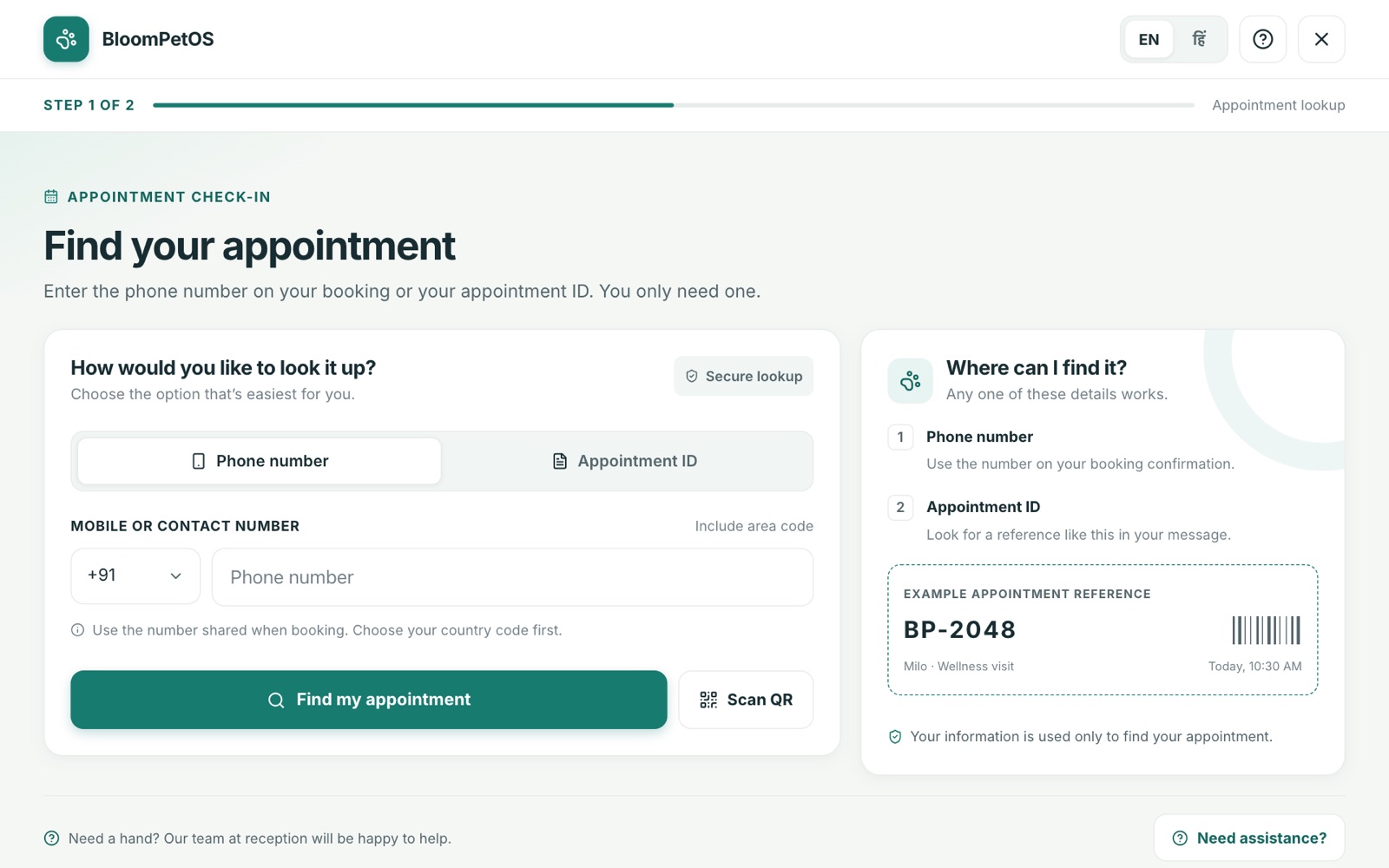
Families find their booking with the phone number they booked with or the appointment ID — they only need one. The team sees them arrive.
- Phone number or appointment ID lookup
- +91 by default, with other country codes
- Scan a QR code to finish on their phone
No appointment? No problem.
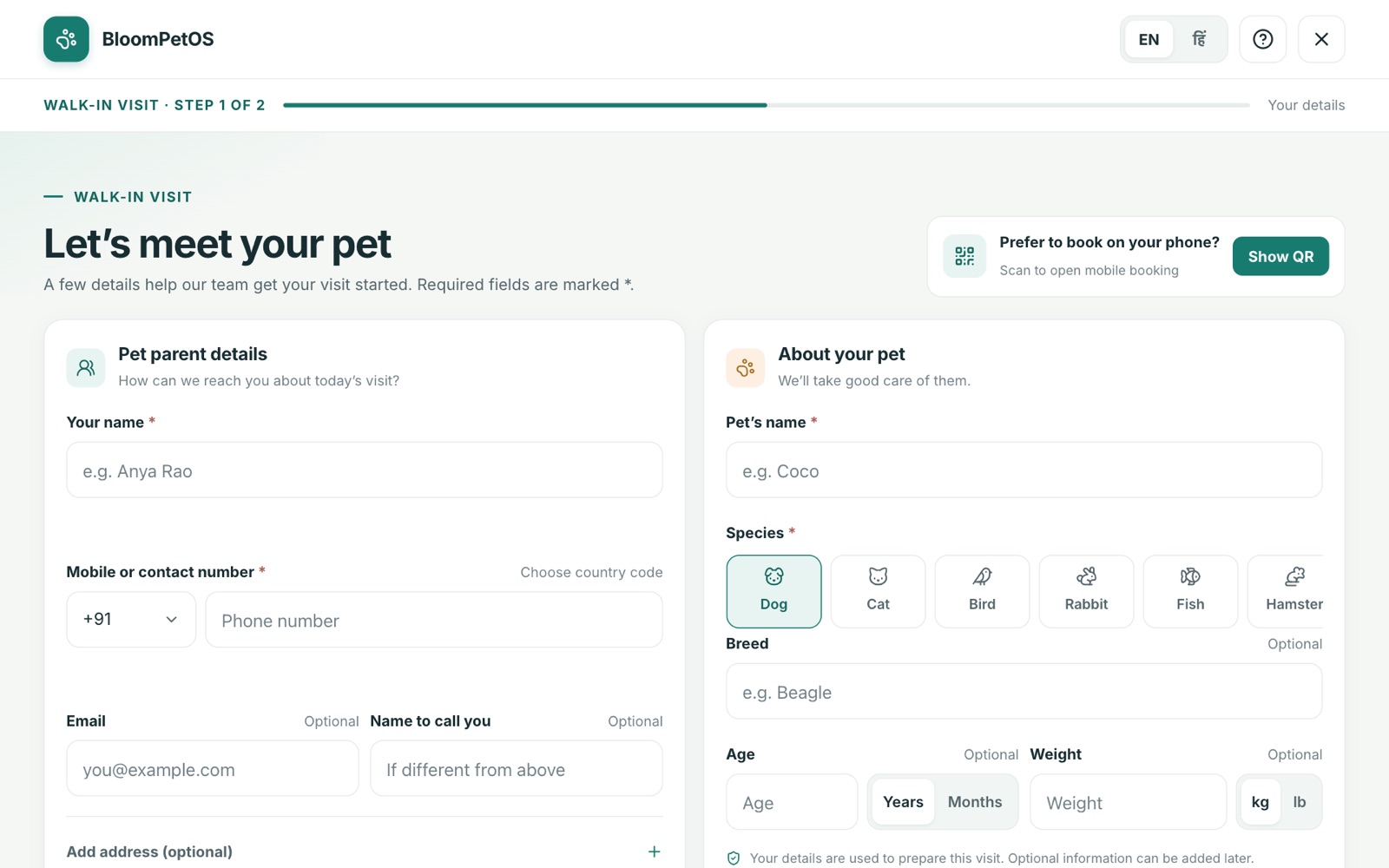
Walk-ins share a few details about themselves and their pet, so the team can get the visit started without paperwork at the desk.
- Pet parent details with optional address
- Pet name, species, breed, age and weight
- QR option to book on their own phone instead
A fresh start, ready when they are.
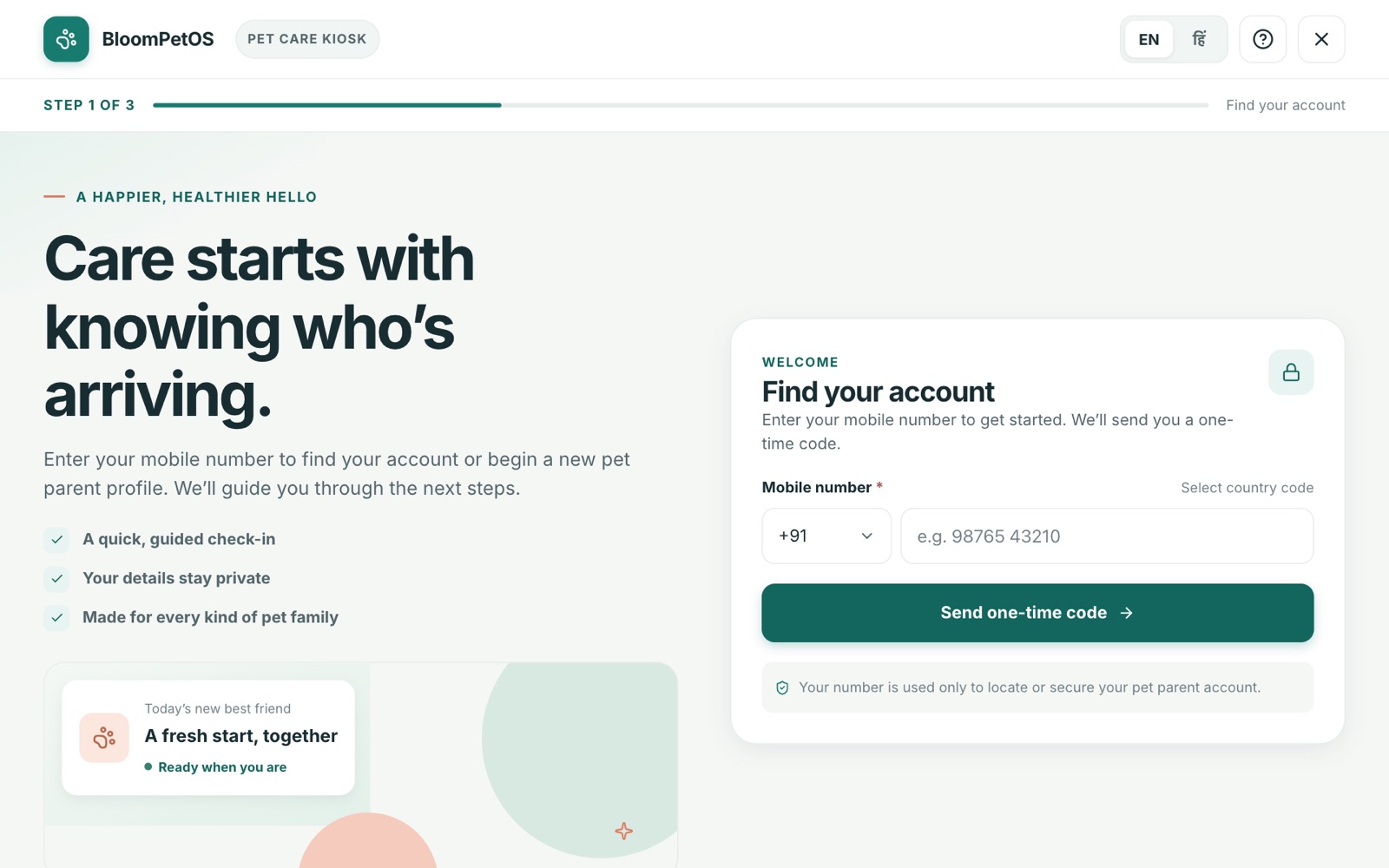
First-time visitors enter their mobile number, confirm it with a one-time code and set up a pet parent profile in three guided steps.
- Finds an existing account or starts a new one
- One-time code to verify the mobile number
- Guided, three-step sign-up
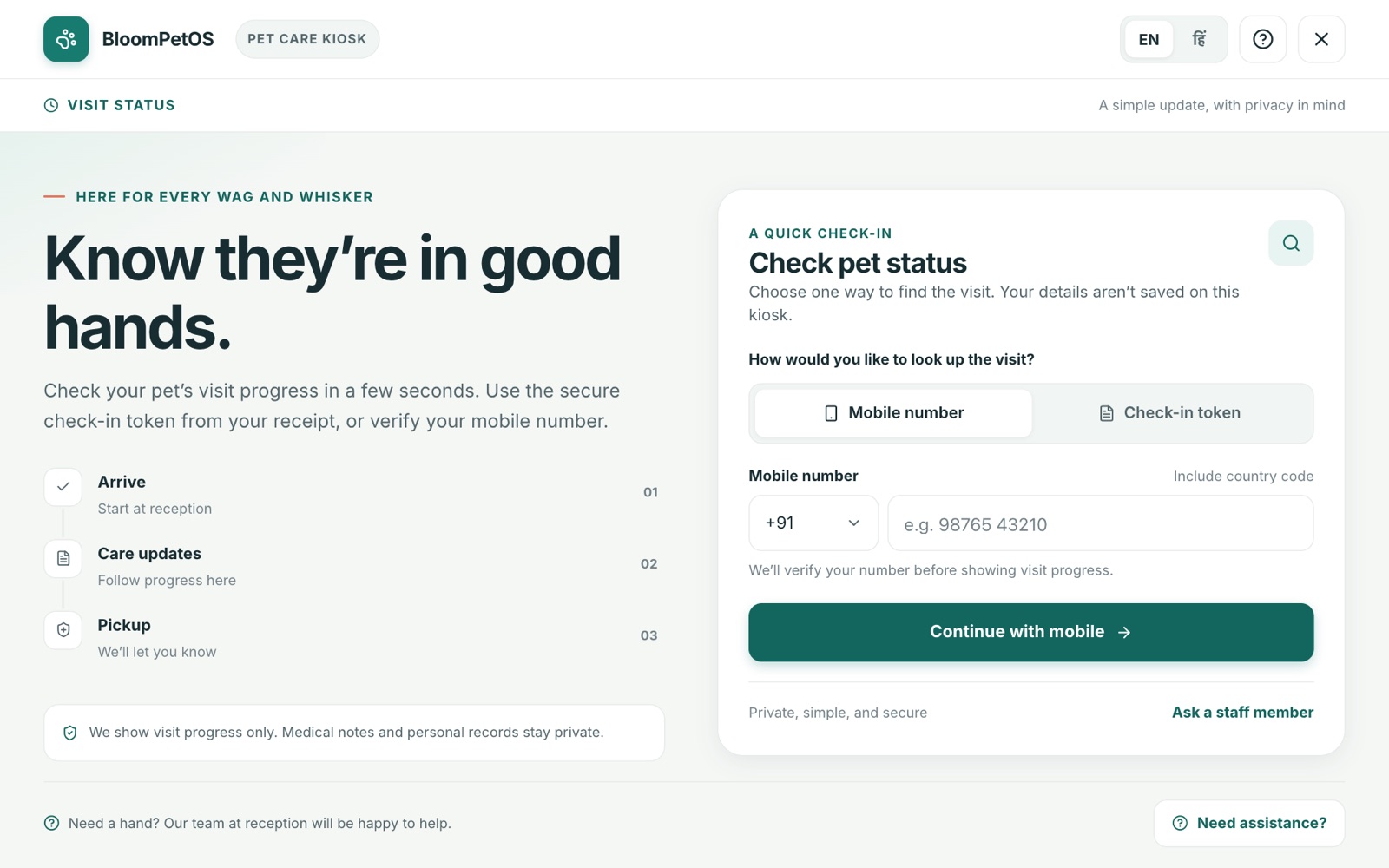
Peace of mind, without asking the desk.
Families check their pet’s progress — arrival, care updates and pick-up — with their mobile number or the check-in token on their receipt.
- Look up by mobile number or check-in token
- Arrive, care updates and pick-up stages
- Visit progress only — medical notes stay private
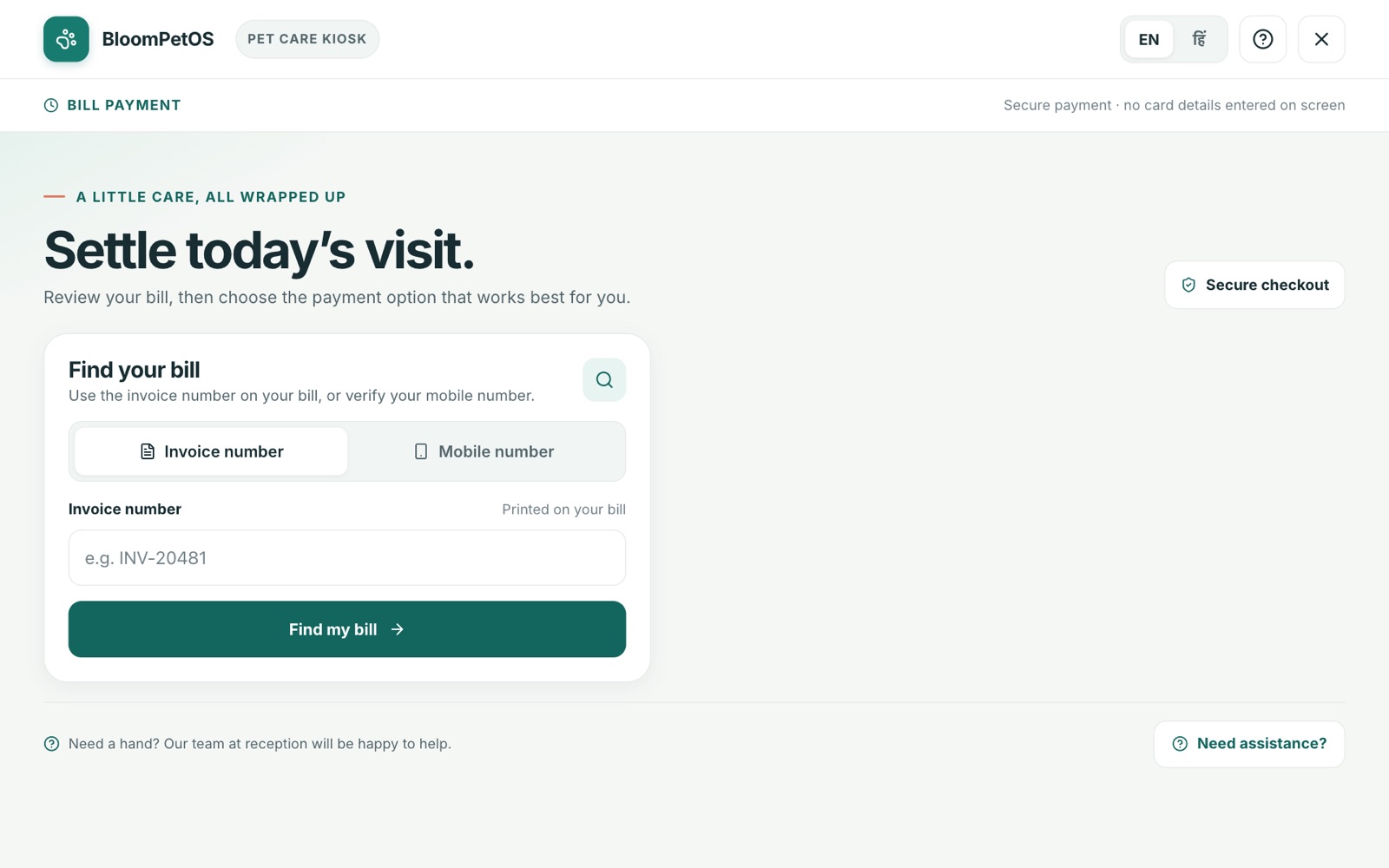
Settle the visit in a few taps.
Families find their bill by invoice number or mobile number, review it and pay securely, without entering card details on the shared screen.
- Find the bill by invoice or mobile number
- Secure online checkout
- No card details typed on the kiosk
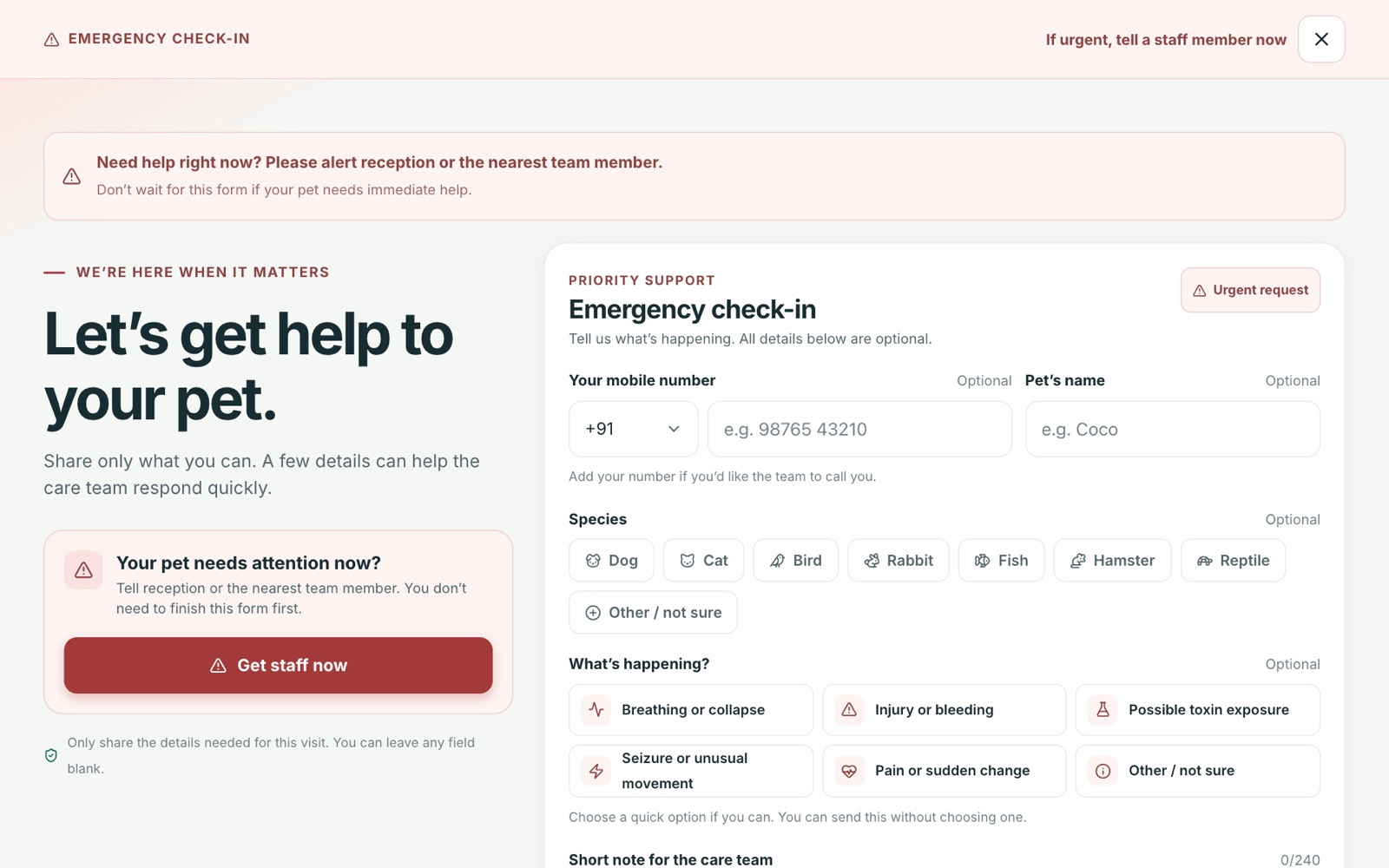
When every second counts.
A clear emergency path alerts the team straight away. Every detail is optional, so families can ask for help first and explain after.
- Get staff now with one tap
- Quick options such as breathing trouble, injury or toxin exposure
- Optional pet, species and contact details
From the front door to the care floor.
Families tap the service they need at the kiosk.
A phone number, appointment ID or QR code finds their visit.
The team sees the check-in or alert in the Centre admin app.
Status, bills and pick-up stay visible to the family.